
A disorganized home office quietly drains your daily productivity, adds unnecessary friction to simple tasks, and increases your mental fatigue before the workday even begins. Transforming your workspace into an orderly environment restores focus and saves you hours each week. Clutter accumulates gradually—an extra cord here, a stack of unfiled receipts there—until your desk feels more like a storage locker than a functional workspace. Recognizing these subtle shifts allows you to intervene before disorganization compromises your efficiency or physical well-being. Look out for these eight unmistakable home office reorganization signs to determine whether your workspace needs an overhaul.

01 You Spend Precious Minutes Hunting for Everyday Items
Searching for a working pen, a pair of reading glasses, or your primary charging cable should never derail your morning. When you routinely open three different drawers just to locate a single notepad or roll of tape, your office layout is working against you. This recurring friction wastes valuable time and fractures your concentration right when you need to focus.
Item displacement occurs when tools lack intuitive, designated homes. If you toss receipts into random trays or stash external hard drives behind monitor stands, you create an unpredictable environment. An organized workspace operates on muscle memory; your hand should instinctively reach for essential tools without requiring your eyes to leave the screen.
To eliminate the daily scavenger hunt, evaluate which tools you touch every single day versus those you use once a week. Group items by function—writing instruments, adhesive supplies, tech accessories—and store them within arm’s reach inside partitioned drawer organizers or desktop caddies.

02 Physical Clutter Has Hijacked Your Primary Work Surface
Your desk surface represents prime real estate, yet it often becomes a catch-all for coffee mugs, unopened mail, product boxes, and half-finished projects. If you find yourself pushing stacks of papers aside just to make room for your keyboard and mouse, physical clutter has conquered your primary work zone. Operating within an overcrowded 12-inch pocket of clear space restricts your movement and creates unnecessary visual tension.
Professional organizers divide workspaces into distinct ergonomic zones:
- Primary Zone: The space within direct reach of your sweeping forearm, reserved exclusively for your keyboard, mouse, and active writing pad.
- Secondary Zone: The area reachable with an extended arm, ideal for your monitor, task lamp, and frequently referenced files.
- Tertiary Zone: Out-of-reach perimeter areas, designated for decorative items, printers, and archived reference books.
When items from your secondary and tertiary zones spill into your primary zone, decluttering a home office becomes an urgent priority. Clear your desk surface completely at the end of each working day to maintain a clean slate for tomorrow morning.
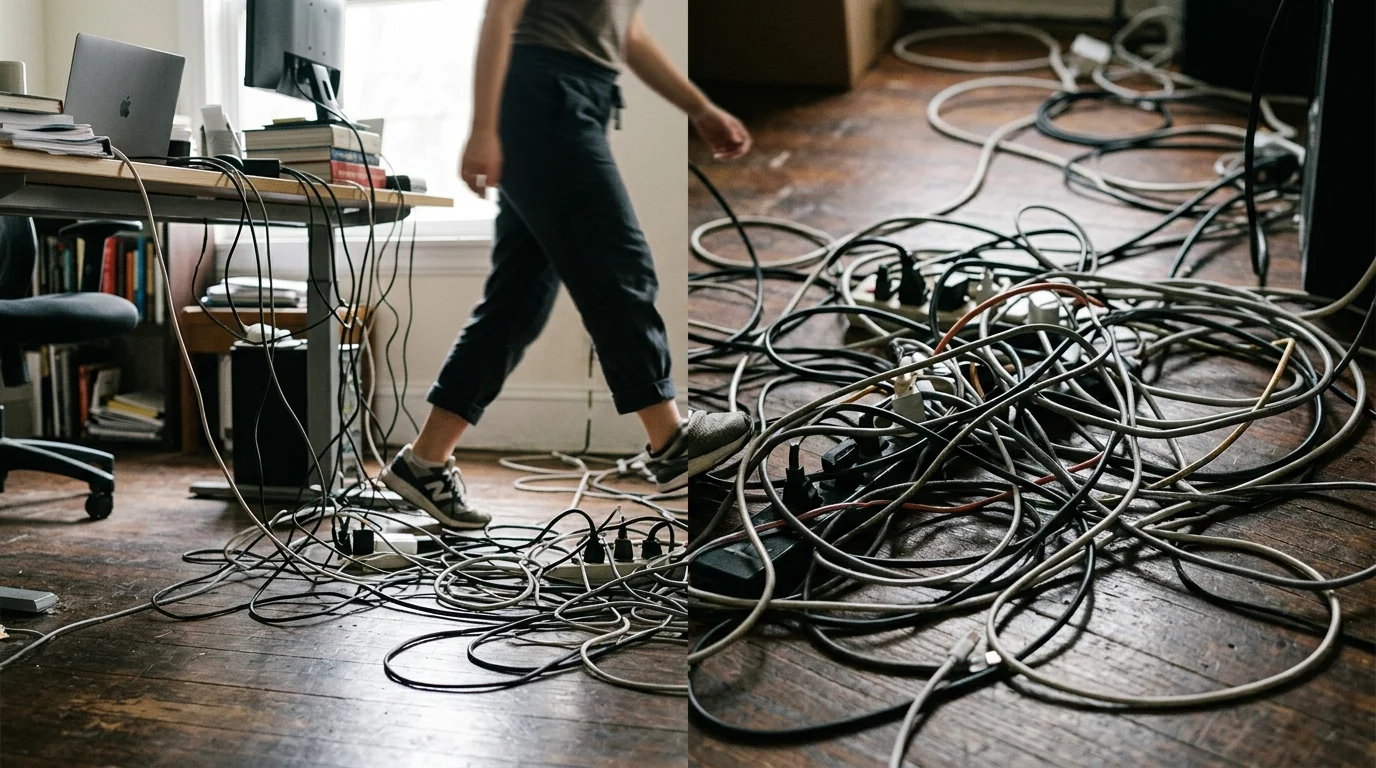
03 Tangled Cords Create Visual Chaos and Tripping Hazards
A rat’s nest of power cables, monitor cords, and charging leads dangling beneath your desk looks unsightly and presents a legitimate safety risk. Unmanaged cables collect dust bunnies, restrict legroom, make vacuuming difficult, and increase the risk of accidental disconnections or tripping—a serious concern for anyone prioritizing household safety.
Overloaded power strips and daisy-chained extension cords also pose electrical fire hazards. The Electrical Safety Foundation International advises against running cords under rugs or overloading wall receptacles with multiple high-draw electronics. When your floor resembles an obstacle course, you need a systematic cable management overhaul.
Resolve cable tangles by mounting power strips directly to the underside of your desk or housing them in ventilated cable management boxes. Bundle loose lengths with reusable hook-and-loop ties rather than plastic zip ties; this allows you to swap out or reroute cables effortlessly whenever your tech setup changes.

04 Unfiled Paper Piles Cause Anxiety and Missed Deadlines
Piles of paper are the most visible signs your home office needs an overhaul. Stacks of printed invoices, insurance statements, warranty cards, and random meeting notes spread rapidly across flat surfaces. As these piles grow taller, their contents become a chronological mystery—forcing you to sift through the entire stack to find one critical tax document.
Paper clutter introduces severe operational friction and elevates the risk of missing payment due dates or misplacing legal records. To tame the paper avalanche, establish a strict retention protocol. According to the Internal Revenue Service, you generally need to keep tax-related documents between three and seven years depending on the filing circumstance, but everyday utility bills and product user manuals rarely require physical archiving.
Implement an active three-tiered paper filing system right next to your workstation:
- Action: Documents requiring immediate payment, signing, or response within 48 hours.
- Archive: Vital records, medical forms, and annual tax documents destined for a labeled, fireproof filing cabinet.
- Shred: Expired statements, junk mail, and duplicate printouts containing sensitive personal information.

05 Your Workspace Triggers Physical Discomfort and Fatigue
Disorganization does not stop at surface mess; it directly interferes with your body’s biomechanics. When papers and peripheral devices crowd your desk, you might push your monitor off to the side, balance your laptop on your knees, or hunch forward over a keyboard shoved into an awkward corner. Over time, these unnatural postures cause chronic neck strain, shoulder tension, lower back aches, and wrist fatigue.
The Mayo Clinic’s office ergonomics guidelines emphasize that your monitor should sit directly in front of you at roughly arm’s length, with the top third of the screen at or slightly below eye level. Your forearms should rest parallel to the floor, and your feet must plant firmly flat on the ground or on a supportive footrest.
A cluttered room compromises your posture by forcing you to adapt your body to the mess instead of configuring the room to support your health. Reorganizing a cluttered workspace ensures your ergonomic equipment stays properly aligned, protecting your joints and muscles throughout long working sessions.

06 Digital Chaos Mirrors Your Physical Desktop
Home office disorganization frequently extends onto your computer screen. If your computer desktop is covered in a hundred loose file icons, your download folder holds gigabytes of unfiled PDFs, and your email inbox shows thousands of unread messages, you suffer from digital clutter. Digital disorganization produces the same cognitive fatigue as physical mess; it slows down system performance and forces you to waste minutes using search bars to locate active files.
Your digital and physical systems should complement each other with identical organizing principles. When your physical files use categorized labels, mirror that exact folder hierarchy inside your cloud storage and local drives. Archive completed client projects into dedicated yearly folders and empty your digital trash bin at the end of each week to keep your machine responsive.

07 You Feel an Immediate Wave of Stress When Entering the Room
Your physical environment directly dictates your mental state. If walking into your home office prompts an immediate sigh of defeat, a spike in anxiety, or an urge to work from the kitchen table instead, your brain is reacting to sensory overload. A cluttered environment bombards your senses with excessive stimuli, signaling to your brain that your work is never complete.
A landmark study published in the Journal of Neuroscience by researchers at Princeton University revealed that multiple visual stimuli present in your field of view directly compete for neural representation. In plain terms, visual clutter constantly restricts your brain’s processing capacity, degrading your working memory and making sustained focus significantly harder to maintain.
Reclaiming an orderly workspace is not merely an aesthetic preference; it is a vital psychological reset. An uncluttered office reduces cognitive friction, lowers baseline stress, and creates an inviting sanctuary where you feel motivated and capable.

08 Storage Solutions Are Overflowing or Inaccessible
When storage systems are poorly planned, putting an item away requires more effort than leaving it out on the desk. Drawers that jam because they are stuffed past capacity, high shelves that require balancing on a wobbly stool, or filing cabinets blocked by storage bins indicate that your storage infrastructure has collapsed. Inaccessible storage practically guarantees that clutter will gather on your working surfaces.
Safe, sustainable home office organization tips prioritize accessibility and visibility:
- Keep everyday reference materials between waist and eye level to prevent bending and overreaching.
- Avoid storing heavy boxes on top shelves where they pose a fall hazard during retrieval.
- Use clear, labeled modular bins inside closets so you can identify contents without unstacking multiple heavy containers.
- Adopt a one-in, one-out rule for office supplies to prevent cabinet overcrowding in the future.

Home Office Organization Audit Matrix
Use this practical audit table to diagnose trouble spots across your office and apply direct, high-impact fixes.
| Problem Area | Common Symptom | Immediate Quick Fix | Permanent System |
|---|---|---|---|
| Desk Surface | Less than 50% clear space; constant shifting of items to use mouse. | Move all non-essential items to a temporary staging bin outside the primary zone. | Enforce a clear-desk policy at the end of every working day. |
| Cables & Power | Dangling wires underfoot, tangled cords behind the monitor. | Bundle loose cables together with reusable hook-and-loop strips. | Install an under-desk cable raceway and mount power strips off the floor. |
| Paperwork | Unsorted stacks of mixed receipts, bills, and expired notes. | Sort papers into three piles: Action, Archive, and Shred. | Implement an active tabletop desktop file holder with labeled folders. |
| Ergonomics | Monitor off-center; slouching or reaching across piles. | Center your monitor at eye level and bring your keyboard to forearm height. | Invest in an adjustable monitor arm to elevate screen off the desk surface. |
| Supply Drawers | Drawers jamming; loose paperclips, pens, and tools mixed together. | Discard dead pens, broken supplies, and duplicates. | Insert shallow, partitioned drawer organizer trays to categorize supplies. |

A Step-by-Step Reset Plan for Reorganizing a Cluttered Workspace
Overhauling your office does not require an entire weekend of stressful labor. Follow this structured five-step method to methodically reset your workspace without feeling overwhelmed.
Step 1: Empty and Clear the Room
Do not attempt to reorganize around existing piles. Clear your primary desk surface and immediate supply shelves completely. Move these items onto a temporary sorting surface, such as a dining table or clean floor space. Starting with a completely empty desk allows you to see the room’s true dimensions and potential.
Step 2: Group Like with Like
Sort everything on your staging table into distinct categories: active project files, archive paperwork, tech hardware, charging cables, writing instruments, and general office supplies. Seeing everything grouped together immediately exposes redundancies—such as five identical staplers or twenty dried-out pens.
Step 3: Purge and Pare Down
Be ruthlessly realistic about what you truly use. Test every pen and discard dry markers. Shred outdated documents, discard obsolete user manuals, and donate duplicate electronics or books to local charities. Reduce your supply inventory down to what you will realistically use over the next six to twelve months.
Step 4: Establish Functional Zones
Return items to your office based strictly on frequency of use. Position your computer, mouse, and active daily notebook in the primary zone. Store weekly essentials—like checkbooks, label makers, or reference binders—in drawers directly adjacent to your dominant hand. Place deep-storage archives, seasonal supplies, and extra printer paper inside closed closet bins.
Step 5: Label Everything Clearly
Ambiguity is the root cause of clutter. When storage bins, file folders, and drawer dividers lack clear labels, items quickly get tossed into the wrong spots. Use a simple label maker or bold handwritten adhesive tags on every bin, file tab, and drawer divider. Clear labeling ensures every item returns to its exact home effortlessly.

Your Immediate Next Step
Do not wait for a major renovation to improve your daily routine. Set a timer for fifteen minutes right now, walk into your home office, and tackle a single high-impact task: clear every stray item off your main desk surface except for your monitor, keyboard, mouse, and lamp. Discard obvious trash, stack loose papers into a single neat tray for sorting tomorrow, and enjoy the immediate clarity that a clean work surface delivers.